Live example: beads in a channel
TraCell tracking a running experiment while the camera records it. Beads of about 5 µm flow at 2 µL/min through a channel 560 µm wide and 20 µm deep. The camera records 1088 × 344 pixels (1.99 µm per pixel) at 200 frames per second, in partitions of 540 frames. Each partition is tracked while the camera records the next one, and only the results are written to disk.
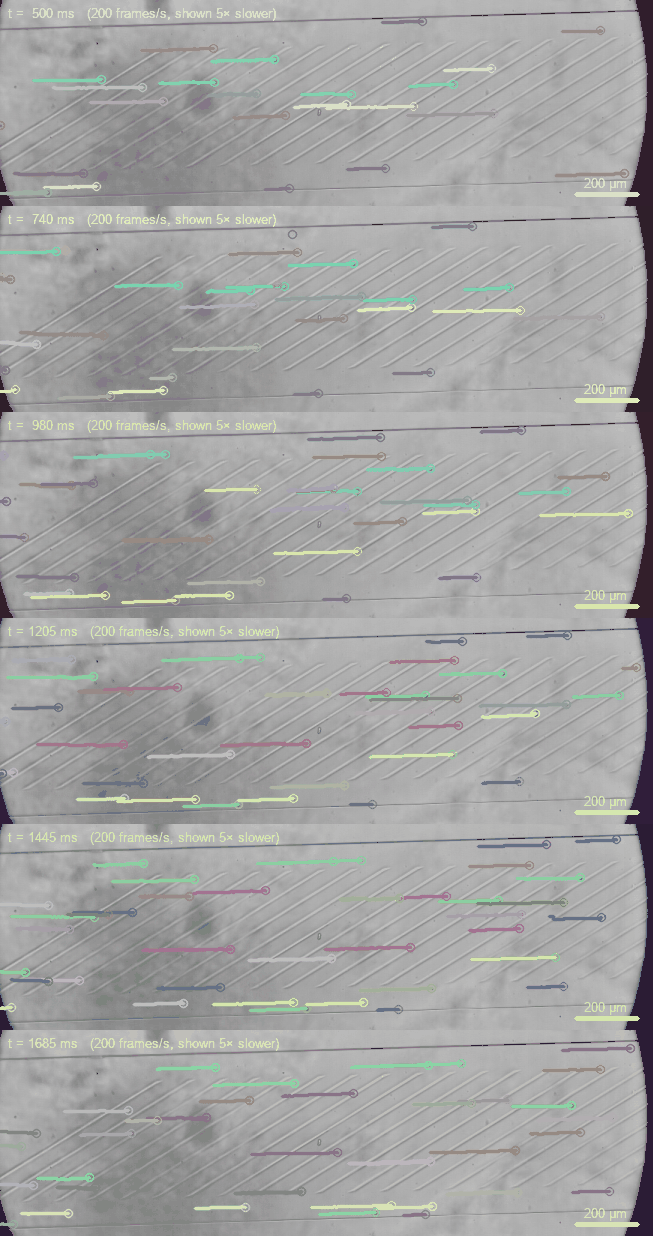
Each bead with the last 40 frames of its track, shown five times slower than real time. In the background, camera noise is held still to keep the animation small.
Why track live
A high-speed camera fills its memory fast. At this frame size and rate the memory held 67,797 frames, which is 5.6 minutes of experiment and 25 GB of frames. Saving that recording and then analyzing it would take about 40 minutes on the laptop used here: 11 minutes to read it out of the camera, 3 to write it to disk and 25 to track it.
The live session wrote its first results 12 seconds after the start and then a new partition every 9.5 s, with 3.9 MB of tables per partition instead of 202 MB of frames. It runs until its stop rule (a number of partitions, frames, cells or seconds) instead of until the camera's memory is full.
| Record, save, analyze | TraCell live | |
|---|---|---|
| First result | after about 40 min | after 12 s |
| Length of the experiment | 5.6 min (the camera's memory) | set by the stop rule |
| Written to disk | 25 GB of frames | 3.9 MB of tables per partition |
| Share of the time tracked | all of it, later | all of it at 60 frames/s; 28 % at 200 frames/s |
How fast it keeps up
The PC tracks a fixed number of frames per second, so the camera's frame rate decides how much of the experiment is tracked. On a laptop from 2018 (Intel i3-8130U, two cores, 3.9 GB of memory) tracking took 17 ms per frame at this size, about 58 frames per second:
| Frame rate | Recorded per partition | One partition every | Time tracked |
|---|---|---|---|
| 60 frames/s | 9.0 s | 9.2 s | 98 % (no gaps) |
| 100 frames/s | 5.4 s | 9.7 s | 56 % |
| 200 frames/s | 2.7 s | 9.5 s | 28 % |
| 1000 frames/s | 0.54 s | 9.1 s | 6 % |
At the higher rates each partition is still tracked in full; the session then samples the experiment instead of covering all of it. Choose the rate for the motion you need to resolve. Here the beads move about 3 pixels per frame at 200 frames/s, so a lower rate would cover more of the time. A faster PC tracks more frames per second.
What it measured
The beads moved along the channel at a median of 1.16 mm/s, almost evenly across the width and slower near the walls. That is about 40 % of the mean velocity the set flow rate gives (2.98 mm/s). The beads may have settled near the channel floor, or the pump may not have reached its set flow. Because the first numbers arrive within seconds, such a difference shows while the experiment can still be changed.
Live and offline agree
One partition was also saved without compression and tracked from the file
(tracell track) with the same settings. 98.8 % of the live detections lie within one
pixel of an offline one, with a median distance of 0.21 pixels. They differ slightly because the offline tracker
starts its background model three frames later.
To try a live session without a camera, replay a video as the camera:
tracell live --virtual-camera video.avi --partitions 3 (Command line).