Export
File > Export (Ctrl+E), or Export in Trajectories for the rows shown there.
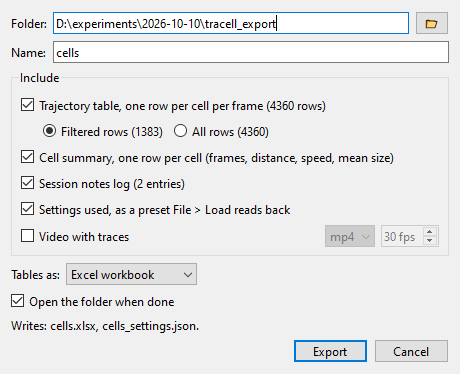
Everything goes into one folder under one name.
| Output | Content |
|---|---|
| Trajectory table | One row per cell per frame |
| Cell summary | One row per cell |
| Session notes | The notes log |
| Settings | A preset that File > Load reads back |
| Cell crops | A small picture of every tracked cell, with background, without, or both, as one .npz file in the order of the table's rows |
| Video with traces | An MP4 with the tracks drawn in |
Tables are written as an Excel workbook, CSV or text. Above 100,000 rows the trajectory table is written as CSV. The video is written in the background and can be stopped.
After a live session, File > Export writes all partitions in memory as one table with the columns partition
and complete.