Adjustment
Tools > Adjustment
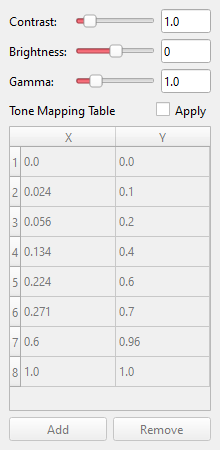
Changes the picture before cells are detected. The video shows the result at once.
- Brightness, Contrast and Gamma.
- Tone mapping table: points of a curve from input to output grey value. The plus and minus buttons add and remove points. The Apply box on the table's title row switches the curve off without deleting its points.
Detection works on the adjusted picture, so adjust until cells stand out from the channel, then set the mask.