Mask
Tools > Mask > Settings, and Tools > Mask > Show Mask to see the mask next to the video.
The mask marks the pixels that belong to cells: white for cells, black for everything else.
Methods
| Method | How it works | Use it for |
|---|---|---|
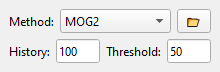
| MOG2, KNN | Learn the background from the last frames; what moves is a cell. History is the number of frames remembered, Threshold how different a pixel must be | Cells flowing through a still channel (start with MOG2) |
| Side view | Median of the first frames as background, a threshold chosen by the triangle method, one convex outline per cell | Side-view channels |
| Neural network (ONNX) | Runs a segmentation model stored as an .onnx file; values above the threshold are cells |
Your own trained model |
A background model needs some frames before the mask is good. It starts again when you change the method or its settings.
Your own method
The folder button next to the Method list loads a mask method from a Python file. The method names its parameters and their limits, and TraCell builds the form for them. The method, its parameters and the file's path are saved in the preset.
A preset can run code
A preset that names a mask script or a linking script runs that Python file when it is loaded. Load presets with scripts only from people you trust.