Calibration
Edit > Calibration
Two numbers turn pixels and frames into micrometres and seconds: the pixel size (µm per camera pixel) and the frame rate the video was recorded at (not the playback rate of the file). A live session uses the camera's frame rate.
Measuring the pixel size
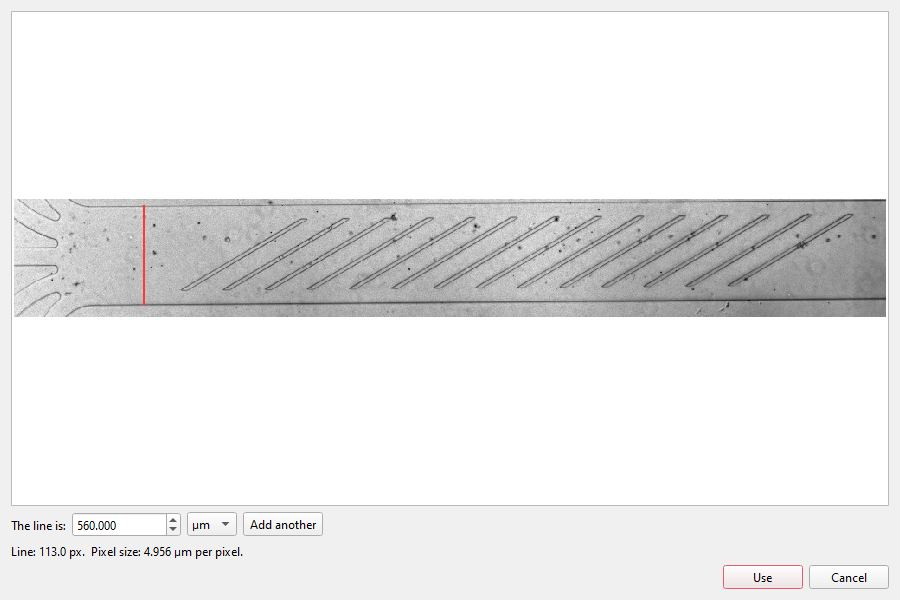
Measure shows the current frame. Drag a line over something whose size you know (the channel width, a scale bar), type its length and choose the unit. Add another keeps the line and takes one more; the pixel size is the mean of all lines, shown with its lowest and highest value.
What changes
Tables get columns in micrometres and seconds next to the pixel columns (x_um, y_um, eq_diameter_um,
area_um2, time_s, and per cell path_length_um, mean_speed_um_s, duration_s): in
Trajectories, in Export, in a live session's folder and from the
command line. The settings themselves stay in pixels.
The calibration belongs to the experiment, so it is saved in the preset.